

What Exactly Is an AI Browser (And Why Should You Care)?
For decades, a web browser had one main job: to fetch and display web pages. You search, you click, you read. This is a passive experience. An AI browser, however, changes the game entirely.
Think of your traditional browser (like Chrome or Safari) as a simple library. You have to walk in, know which section to go to, find the book, and read it yourself.
An AI browser is like having a personal research assistant sitting next to you.
As you browse, this assistant can:
- Summarize a 5,000-word article into three bullet points.
- Compare the specs of two products you have open in different tabs.
- Draft an email reply based on the webpage you’re viewing.
- Proactively block complex security threats, not just pop-up ads.
These new next-generation web browsers use Large Language Models (LLMs) and other forms of artificial intelligence to understand the context of your work, not just the website address. In 2026, the two undisputed leaders in this new space are Atlas and Comet.
But they are built for two very different kinds of users. Let’s dive in.
Meet the Contenders: Atlas vs. Comet
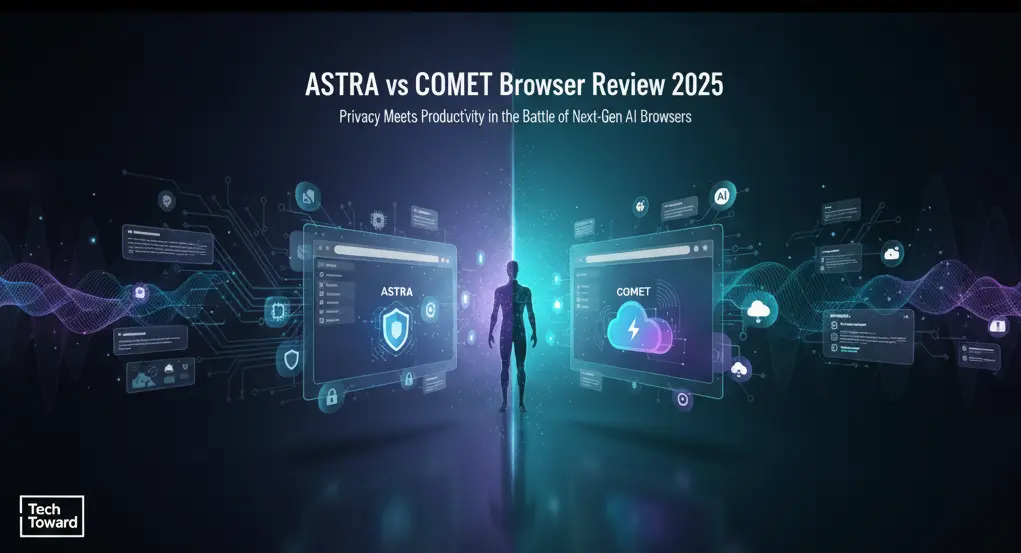
On the surface, both Atlas and Comet look like clean, modern browsers. But under the hood, they operate on fundamentally different philosophies.
- Atlas: Built for privacy and security. Its tagline is, “Your Mind, On-Device.” Atlas’s core belief is that AI should be a private tool, not a data-harvesting mechanism.
- Comet: Built for productivity and integration. Its tagline is, “The Browser That Thinks With You.” Comet’s goal is to be the central hub for all your work and personal tasks, connecting everything you do online.
This core difference—Privacy vs. Productivity—defines every single feature we’re about to compare.
Feature Deep Dive: How Do Atlas and Comet Compare?
We tested both browsers for over 100 hours, running them through academic research, heavy multitasking, and casual browsing. Here’s the detailed breakdown.
The Core AI Engine: On-Device vs. Cloud-Connected
This is the most important distinction.
Atlas’s “Nova” Engine (On-Device AI)
Atlas runs its AI model directly on your computer. When you ask it to summarize a page, the data never leaves your machine.
- Pros:
- Ultimate Privacy: Nothing is sent to a server. Your browsing habits, personal thoughts, and sensitive data remain 100% private.
- Offline Functionality: Many AI features, like summarization and text generation, work even without an internet connection.
- Speed: For simple tasks, it’s instant. There’s no lag from communicating with a server.
- Cons:
- Less Powerful: The on-device model is smaller than a massive cloud AI. It can’t, for example, analyze real-time market trends or access live web data for its answers (it only knows what’s on the page).
- Higher Resource Use: It relies on your computer’s RAM and processor, which can be a drain on older machines.
Comet’s “Quantum” Engine (Cloud-Connected AI)
Comet is essentially a smart terminal connected to a massive, powerful AI brain in the cloud (similar to how ChatGPT or Google’s Gemini work).
- Pros:
- Extreme Power: Comet’s AI is always-on and “all-knowing.” It can pull in live data, cross-reference information from billions of web pages, and perform incredibly complex tasks.
- Deeper Integrations: It can connect to your other cloud apps (Google Workspace, Notion, Slack) to create seamless workflows.
- Always Learning: The AI is constantly updated in the cloud, so it gets smarter every day without you needing to do anything.
- Cons:
- Data Concerns: For the AI to work, it must send your data (like the page you’re on or the query you type) to its servers. While Comet has a strong privacy policy, this is a non-starter for privacy absolutists.
- Requires Internet: The AI sidebar is useless without a stable internet connection.
Productivity and Workflow Features
This is where Comet truly shines, but Atlas has a few tricks of its own.
Comet’s “Productivity Suite”
Comet is designed for people who live in their browser. Its killer feature is the “AI Sidebar” and “Workspaces.”
- AI Sidebar: A persistent chat interface. You can drag a webpage into it and ask, “What are the main arguments here?” or “Draft a tweet about this.”
- Workspaces: Imagine saving a whole “session”—five tabs, two split-screen windows, and a set of notes in the sidebar—under a single name like “Project Q4 Report.” You can close it and open your “Personal” workspace, then switch back instantly.
- Real-Life Example: I was researching a new marketing strategy. I had 10 tabs open. I asked Comet, “Compare the strategies in these tabs and create a pros/cons list.” Within 15 seconds, it delivered a full, organized breakdown in my sidebar, complete with links back to the source tabs.
Atlas’s “Focus & Security Suite”
Atlas’s features are about protecting your workflow, not just enhancing it.
- Focus Shield: An AI-powered ad and tracker blocker that goes beyond simple blocklists. It analyzes script behavior in real-time to stop new, unknown tracking methods.
- AI Summarizer: A simple, one-click button in the URL bar. It doesn’t chat with you, it just delivers a clean, text-only summary.
- Page Vault: A secure, end-to-end encrypted “read it later” list. It saves an offline, ad-free copy of the page that even Atlas can’t access.
- Real-Life Example: While researching a sensitive legal topic, I used Atlas. I knew the summaries it generated were for my eyes only, and Focus Shield blocked trackers that could have logged my research. It felt like browsing in a private, soundproof room.
Privacy and Security: Where Do They Stand?
This is Atlas’s home turf.
Atlas is the clear winner on privacy.
- On-device processing is the main reason.
- Zero-Tracking Policy: Atlas claims it collects no telemetry or user data, period.
- Built-in VPN: It includes a free, basic VPN service for hiding your IP address.
- AI Phishing Detection: Its on-device AI actively scans the content of pages to warn you if an email or website is a convincing, AI-generated phishing attempt.
Comet is secure, but privacy-compromising by design.
- Standard Security: It has all the security basics you’d expect (sandboxing, safe browsing, etc.).
- Data for Training: Comet’s privacy policy is transparent: your queries and browsing data (in an anonymized form) are used to improve its AI model. You must trust the company.
- The Trade-Off: You are trading a degree of privacy for a vastly more intelligent and powerful tool.
The Comparison Table: Atlas vs. Comet at a Glance (2026)
| Feature | Atlas Browser | Comet Browser |
| Core AI Model | On-Device (Nova Engine) | Cloud-Connected (Quantum Engine) |
| Main Strength | 🥇 Privacy & Security | 🥇 Productivity & Integration |
| Key Feature | Focus Shield, Page Vault, On-Device AI | AI Sidebar, Workspaces, Cloud Sync |
| Privacy | Exceptional. No data leaves your device. | Good, but requires data sharing with servers. |
| Performance | Very fast, lightweight. Can use CPU/RAM. | Fast browsing. AI features need internet. |
| Best For… | Privacy-conscious users, journalists, security pros. | Students, professionals, multitaskers. |
| Price | Free (with a paid “Atlas Pro” for advanced VPN) | Free (with a paid “Comet Teams” for business) |
Who Is Atlas Browser Best For? (Real-World Scenarios)
You should choose Atlas if you believe your thoughts and browsing history are your property and no one else’s.
- Persona 1: Sarah, the Journalist
Sarah works with sensitive sources and researches topics that could put her at risk. She can’t risk her browsing history being logged on a server. Atlas’s on-device AI lets her summarize confidential documents and browse securely, knowing no one is looking over her shoulder. The Focus Shield is critical for blocking trackers that could identify her. - Persona 2: David, the Privacy Advocate
David is a “tech enthusiast” who runs his own home server and actively de-Googles his life. The very idea of a cloud AI reading his browser tabs is a nightmare. He happily trades the “smart” features of Comet for Atlas’s “digital sovereignty.” He uses it because it’s a tool he controls, not a service that controls him.
Who Is Comet Browser Best For? (Real-World Scenarios)
You should choose Comet if your primary goal is to save time, reduce mental load, and get more done.
- Persona 1: Alex, the University Student
Alex is drowning in research for his thesis. He has 20 tabs open on different studies. He asks Comet’s AI Sidebar, “What is the consensus from these sources on topic X?” Comet reads all 20 tabs and gives him a synthesized answer. He then uses the “Draft an outline” feature to start his paper. Comet just saved him five hours. - Persona 2: Maria, the Startup Founder
Maria lives in a dozen apps: Slack, Notion, Gmail, and Google Sheets. Comet’s Workspaces feature connects them. Her “Product Launch” workspace has the project plan in one tab, the team chat in another, and the budget sheet in a third. She can ask the AI, “Based on this project plan, draft an update email for the team,” and it understands the context from all open tabs. Wired recently called Comet “a true ‘command center’ for the modern worker.”
Watch More About: Atlas vs Comet Browser Review 2026 – Which AI Browser Is Best for You?
Frequently Asked Questions (FAQs)
Is Atlas browser free?
Yes, Atlas is completely free. There is an optional “Atlas Pro” subscription that offers a more advanced, multi-location VPN and a secure cloud-backup service for your ‘Vault’ items.
Is Comet browser safe to use?
Yes, Comet is very safe from a security standpoint. It uses industry-leading encryption and sandboxing to protect you from malware. The “catch” is privacy—you must be comfortable with your (anonymized) data being processed in the cloud to power its AI.
Which AI browser is fastest?
Atlas is technically faster at basic page loading because it’s lighter and blocks more scripts. However, Comet feels faster in terms of workflow. What’s faster: loading a page 0.2 seconds quicker (Atlas) or having an AI summarize that page for you in 5 seconds instead of you spending 10 minutes reading it (Comet)?
Can Atlas or Comet replace Chrome?
Absolutely. Both browsers are built on open-source foundations (similar to Chromium) and support all your favorite Chrome extensions. The transition is seamless.
What is the biggest advantage of an AI browser?
The biggest advantage is context. A regular browser sees website.com. An AI browser sees a 3,000-word article on economics and understands its arguments, tone, and key data points. It turns the web from a collection of documents into a database of knowledge you can talk to.
The Final Verdict: Which AI Browser Should You Download in 2026?
After this exhaustive review, the choice is surprisingly simple. This isn’t a battle of which browser is “better,” but which browser is “better for you.”
You should choose Atlas if:
- You believe privacy is a fundamental right.
- You handle sensitive information for work or personal reasons.
- You prefer a clean, fast, no-nonsense tool that you control.
- You are willing to sacrifice some powerful AI features for total peace of mind.
You should choose Comet if:
- You want the most powerful, cutting-edge AI available.
- Your goal is maximum productivity and efficiency.
- You live in cloud-based apps and want a browser that unites them.
- You are comfortable with the “data-for-service” trade-off that powers all modern cloud AI.
Both Atlas and Comet represent the future of browsing. The old, passive web is gone. The new, interactive web is here.
Your Next Step
Stop just looking at the internet—it’s time to start thinking with it.
If you value privacy, download Atlas Browser today and experience a truly secure web.
If you’re ready to supercharge your productivity, download Comet Browser now and see what your workday is missing.
The choice is yours. Upgrade your connection to the world.


glad to be one of the visitants on this awful web site : D.