Summary
Backing up computer data safely in 2026 means combining automation, redundancy, and security rather than relying on a single device or manual habit. Modern backup approaches protect against hardware failure, ransomware, accidental deletion, and even account lockouts by spreading copies across local and cloud environments. The most reliable setups are designed to operate quietly in the background while remaining easy to restore in the event of an issue.
Introduction: Why Data Loss Is Still a Problem in a “Cloud-First” World
Most people assume data loss is no longer a serious risk. Files live on powerful laptops, fast SSDs, and cloud-synced folders that feel permanent. Yet real-world patterns tell a different story. Devices still fail without warning, ransomware targets individuals and small teams more aggressively than ever, and cloud sync alone continues to delete data just as efficiently as it stores it.
What many guides oversimplify is the difference between having data somewhere and having a recoverable backup. Syncing, copying, and backing up are often treated as interchangeable, even though they solve very different problems. In 2026, safe data protection is less about choosing a single tool and more about designing a system that anticipates mistakes, attacks, and edge cases before they happen.
Backup Is a System, Not a Single Action
The most important mental shift is understanding that backup is not a one-time task or an occasional reminder. It is an ongoing system made up of tools, schedules, storage locations, and recovery rules.
A system-based approach answers three questions upfront:
- What data actually needs protection?
- How quickly must it be recoverable?
- What events should it survive?
For a student, this might mean protecting coursework from accidental deletion or laptop theft. For a remote worker or small business owner, it often includes client files, financial records, and years of accumulated work that cannot be recreated. The answers determine whether a simple local copy is enough or whether multiple layers are required.
Understanding the Real Threats to Personal and Small-Business Data
Data loss rarely comes from a single dramatic event. It usually results from a chain of small, predictable failures.
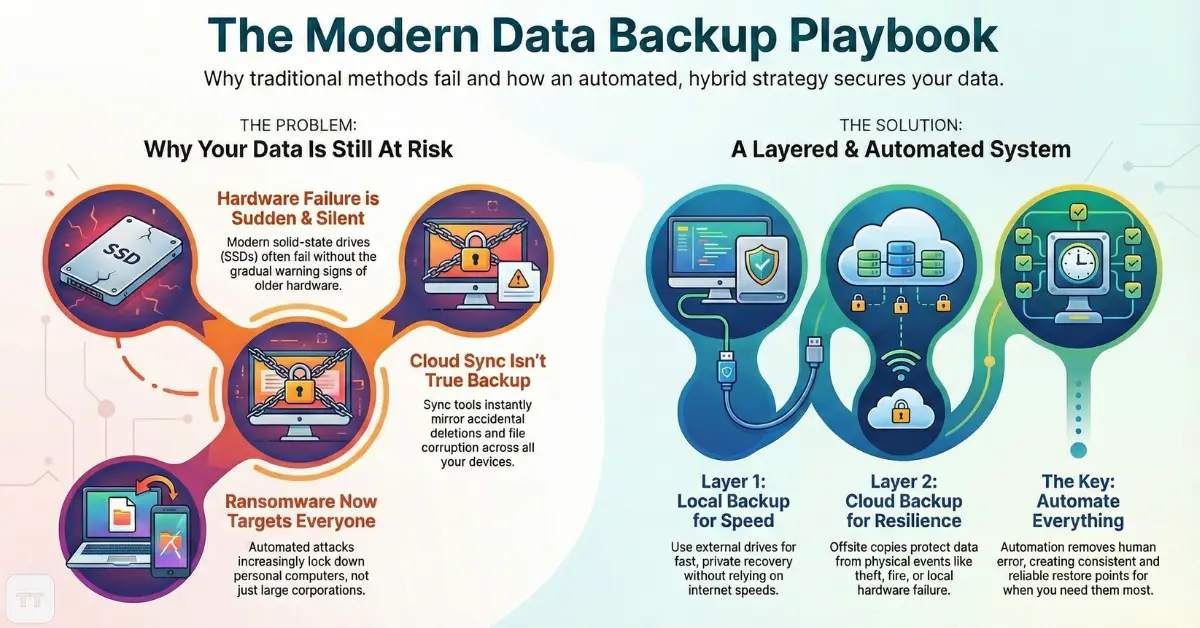
Hardware failure remains common, especially as laptops run hotter and storage components age faster. Solid-state drives fail differently than older hard drives, often without gradual warning signs. At the same time, ransomware no longer targets only large organizations. Automated attacks increasingly lock down personal computers and small business systems, demanding payment for access.
Human error is still the most underestimated risk. Files are overwritten, folders are reorganized incorrectly, or a cleanup accidentally removes something important. Cloud sync services faithfully mirror these mistakes across every connected device.
Safe backup strategies are designed around these realities, not ideal behavior.
Local Backups: Speed, Control, and Their Hidden Weaknesses
Local backups remain valuable because they are fast, private, and fully under the user’s control. External drives and network-attached storage devices allow quick restores without relying on internet speed or third-party services.
However, local-only strategies carry a critical limitation: they are physically vulnerable. Theft, fire, power surges, or simple drive failure can wipe out both the computer and its backup simultaneously. This is why local backups work best as one layer rather than a complete solution.
In practice, local backups excel at:
- Rapid recovery from accidental deletion
- Restoring large files without download delays
- Maintaining full ownership of sensitive data
They struggle when disasters affect the entire physical environment.
Cloud Backups: Resilience Beyond the Device
Cloud-based backups address the biggest weakness of local storage by separating data from the physical device. Files stored offsite remain accessible even if hardware is lost or destroyed.
The key distinction is between cloud sync and cloud backup. Sync tools keep folders identical across devices, which means deletions and corruption spread instantly. True cloud backup services preserve historical versions and deleted files for defined retention periods, allowing rollback after mistakes or attacks.
In 2026, reputable cloud backup platforms increasingly include zero-knowledge encryption, geographic redundancy, and automated versioning. These features make cloud backups especially effective against ransomware, which relies on eliminating access to all available copies.
The tradeoff is recovery speed. Large restores depend on bandwidth, and full system recovery can take hours or days if planning is poor.
Why Hybrid Backup Strategies Are Becoming the Default
Relying on either local or cloud storage alone leaves gaps. Hybrid strategies combine both, creating redundancy without unnecessary complexity.
A typical hybrid setup includes:
- Automatic local backups for speed and convenience
- Continuous or daily cloud backups for offsite protection
This approach mirrors what many IT professionals quietly recommend for small organizations because it balances control, resilience, and recovery time. It also allows users to adapt over time, adding more storage or changing providers without rebuilding the entire system.
Hybrid strategies are increasingly common among remote workers who depend on uninterrupted access to their files but cannot afford enterprise infrastructure.
Automation: The Difference Between Theory and Reality
Manual backups fail not because they are technically flawed, but because people forget. Automation removes human reliability from the equation.
Automatic data backup solutions in 2026 are designed to operate quietly, adjusting schedules based on usage patterns and system activity. Incremental backups capture only changes, reducing storage needs and performance impact.
The real value of automation is consistency. Regular, unattended backups create predictable restore points, making recovery decisions easier during stressful situations. Systems that require frequent user input tend to degrade over time as reminders are ignored.
This is one area where simplicity often outperforms flexibility.
Security Expectations for Secure Data Backup in 2026
Security is no longer optional, even for personal backups. Threat models that once applied only to corporations now affect individual users.
At a minimum, modern backup systems should include:
- End-to-end encryption during transfer and storage
- Strong account authentication, preferably with multi-factor support
- Protection against unauthorized deletion of backups
An often-overlooked risk is account compromise. If an attacker gains access to a cloud backup account, they may delete backups rather than encrypt files. Services that support immutable backups or delayed deletion provide an extra safety margin.
Local backups also require encryption, especially for portable drives that can be lost or stolen.
Platform-Specific Considerations for Windows and macOS
Backing up files on Windows and Mac systems looks similar on the surface but differs in important ways.
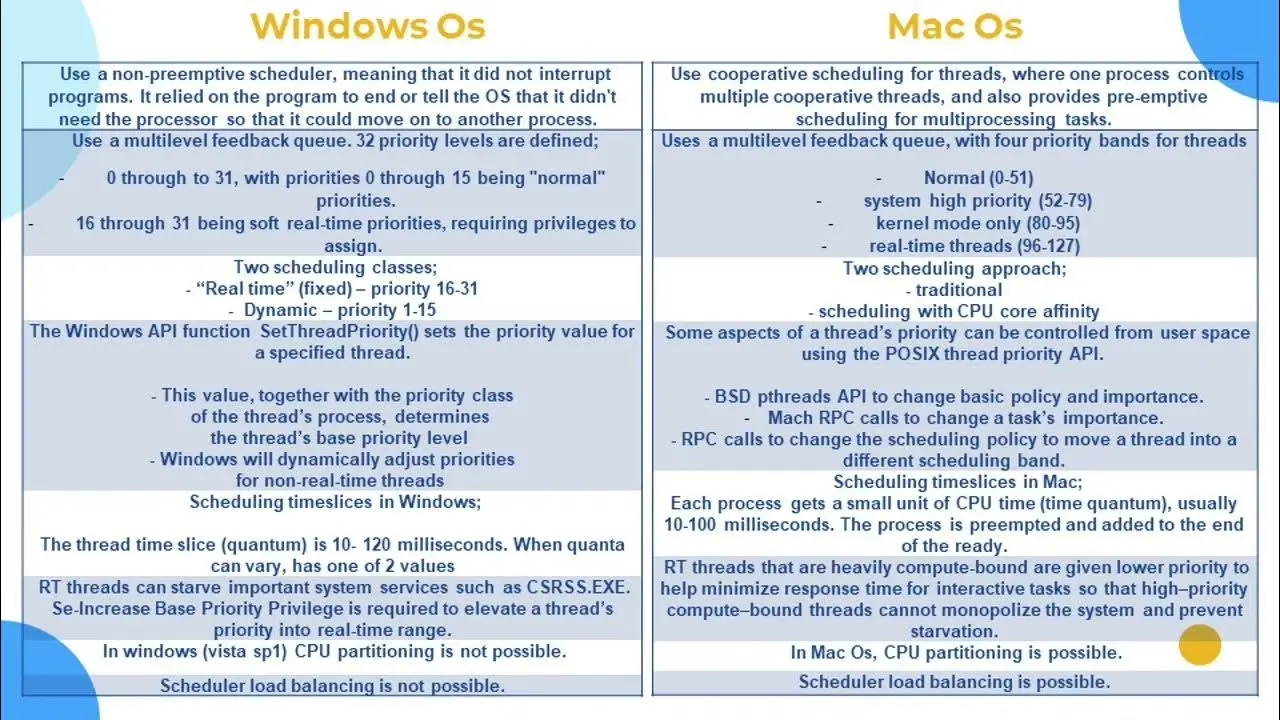
Windows environments often involve a mix of local accounts, Microsoft accounts, and multiple storage locations. Backup systems need to account for user profile folders, application data, and cloud-integrated directories.
macOS systems emphasize system snapshots and tight integration with hardware security features. This makes full-system restores smoother but can obscure where certain files are actually stored.
Cross-platform households or small teams should avoid assuming that one setup behaves identically across operating systems. Testing restores on each platform is the only reliable way to confirm coverage.
The Overlooked Detail: Testing Restores Before Disaster Strikes
Many backup guides focus entirely on creating backups and stop there. Restoration testing is often ignored until it is too late.
A backup that cannot be restored is functionally useless. Testing confirms that files are intact, encryption keys are available, and recovery procedures are understood. Even a simple test, such as restoring a single folder every few months, can reveal issues early.
This practice is common in professional environments but remains rare among individuals. Adopting it immediately raises the reliability of any backup system, regardless of tools used.
Common Misconceptions That Lead to False Confidence
Several persistent myths continue to undermine safe data protection.
One is the belief that cloud storage providers guarantee recovery in all situations. Most services clearly state that users are responsible for their own backups.
Another is assuming that newer hardware is less likely to fail. While performance improves, component density and thermal stress often increase failure risk.
Finally, many people believe backups are unnecessary if files are rarely changed. In reality, low-change data is often the hardest to reconstruct when lost.
Correcting these misconceptions shifts backup planning from optimism to preparedness.
How to Decide What Level of Backup Is Actually Worth It
Not every user needs enterprise-grade redundancy. The goal is proportional protection.
For basic home users, automatic cloud backups combined with occasional local copies are often sufficient. Remote workers and freelancers benefit from faster local restores and longer version histories. Small businesses should prioritize multi-device coverage, offsite storage, and clear recovery roles.
The deciding factor is not data volume, but data importance. If losing it would cause financial harm, legal exposure, or months of recovery work, additional layers are justified.
This is where expert judgment matters more than feature lists.
Subtle Signals of Adoption and Real-World Outcomes
Across consumer and small-business environments, backup adoption patterns are shifting toward automation-first setups. Users increasingly expect backups to run continuously without manual oversight.
Feedback from ransomware incidents consistently shows that those with recent, offsite backups recover faster and avoid payment altogether. Those relying on sync-only solutions often discover too late that their data loss propagated everywhere.
These outcomes reinforce the value of layered, automated systems rather than single-point solutions.
Frequently Asked Questions
What is the safest way to back up computer data in 2026?
The safest approach combines automated local backups with encrypted cloud backups. This setup protects against both device failure and large-scale incidents like ransomware or theft.
Is cloud backup better than local backup?
Cloud backup is more resilient to physical loss, while local backup is faster for restores. Using both together provides better protection than relying on either alone.
How often should computer data be backed up?
Critical data benefits from continuous or daily backups. Less frequently changed files can follow a weekly schedule, but automation should handle this without manual effort.
Are built-in backup tools enough for most users?
Built-in tools cover basic needs but may lack advanced versioning or offsite redundancy. They work best when supplemented with cloud-based backups.
Do backups protect against ransomware?
Yes, if backups are isolated from active systems and support version history. Sync-only solutions do not provide the same protection.
Conclusion: Backup as a Quiet Confidence Builder
Safe data backup is no longer about technical expertise or expensive hardware. It is about designing a system that assumes mistakes will happen and plans for recovery rather than perfection.
The most effective setups in 2026 are automated, layered, and tested just enough to inspire confidence without demanding constant attention. When backups work as intended, they fade into the background, only becoming visible when they quietly save the day.
At that point, many users realize that peace of mind, not storage space, was the real goal all along.