Summary
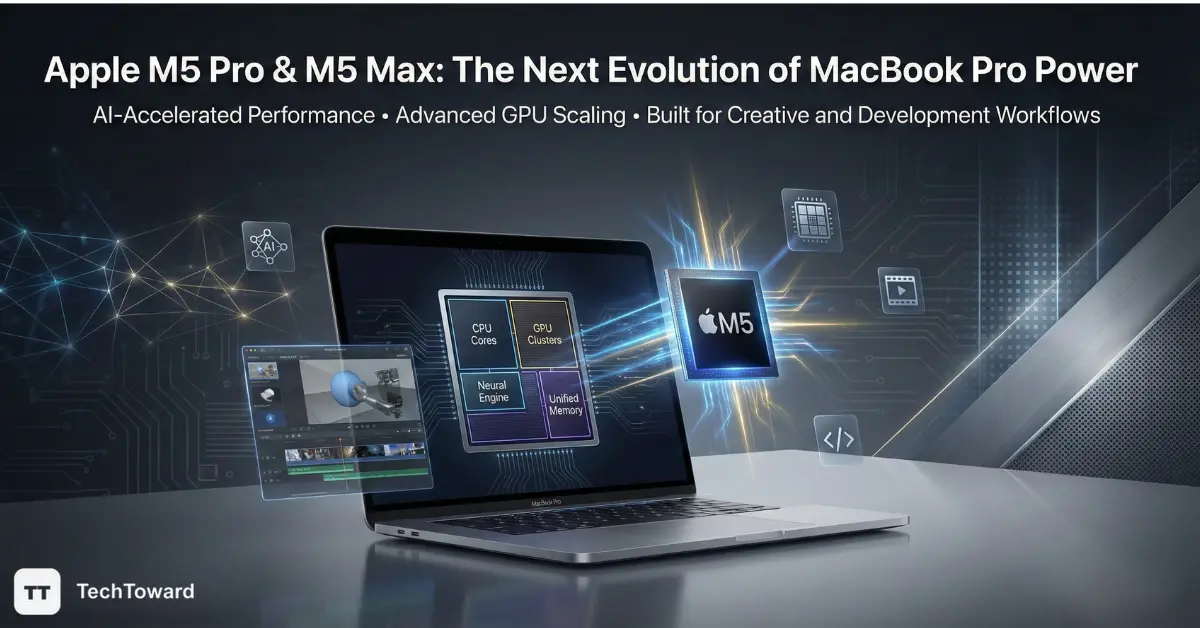
The Apple M5 Pro and Apple M5 Max chips represent the next generation of professional silicon powering the MacBook Pro, focusing on stronger AI processing, higher GPU throughput, and improved efficiency for demanding creative and development workflows. Early analysis suggests the upgrade is less about raw headline speed and more about enabling complex tasks—such as machine learning, 3D rendering, and real-time video production—to run locally with greater efficiency.
For many professionals, the real shift is how these chips expand what a laptop can handle without relying on cloud computing or external GPUs.
A New Phase in Apple Silicon’s Professional Strategy
When Apple Inc. introduced its first generation of Apple Silicon, the goal was clear: unify performance and efficiency while removing the limitations that came with traditional laptop processors. Each generation since then has followed a pattern—incremental speed gains, stronger graphics, and longer battery life.
The arrival of the Apple M5 Pro and M5 Max chips signals a subtle but meaningful shift in that strategy.
Rather than focusing solely on CPU speed improvements, the newest architecture prioritizes parallel computing and AI-accelerated workloads. This direction reflects how modern professional software has evolved. Video editors now rely heavily on GPU acceleration, developers increasingly run local machine-learning models, and designers manipulate complex 3D scenes that demand immense memory bandwidth.
Many previous chip announcements emphasized raw benchmark numbers. What matters more this time is how the hardware changes real workflows.
The new MacBook Pro models powered by these chips are designed less as traditional laptops and more as portable workstations capable of sustaining complex workloads for extended periods without throttling.
Why Professional Chips Are Now Built Around AI Workloads
Modern computing workloads look very different from those of a decade ago. A large portion of demanding tasks now involve AI-assisted processing rather than purely sequential CPU calculations.
Applications such as:
- Final Cut Pro
- Adobe Premiere Pro
- DaVinci Resolve
- Machine-learning frameworks like TensorFlow
rely heavily on parallel GPU operations and neural acceleration.
The architecture behind the M5 generation reflects this shift.
Key design priorities include:
- Larger GPU compute clusters
- Faster unified memory bandwidth
- Expanded neural processing capability
- Improved efficiency during sustained heavy workloads
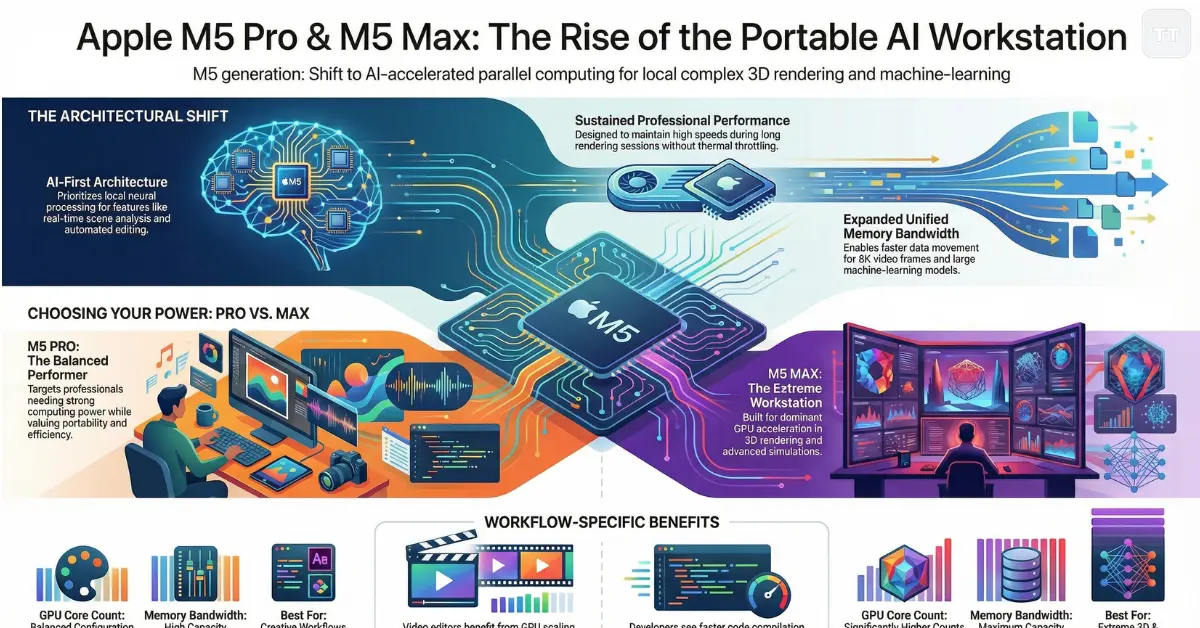
The practical result is that AI-assisted features—such as background removal, real-time scene analysis, or automated editing tools—run directly on the device rather than in the cloud.
For professionals concerned with privacy, latency, or offline work, this is becoming increasingly important.
Understanding the Architectural Improvements
At a technical level, the latest chip generation builds upon the unified architecture that has defined Apple’s silicon roadmap.
Several structural changes contribute to the performance improvements.
Higher Memory Bandwidth
Unified memory has always been a major strength of Apple’s architecture. Instead of separating CPU and GPU memory pools, both share the same high-bandwidth system memory.
The newest chips significantly expand this bandwidth, allowing large datasets—such as 8K video frames or machine-learning models—to move faster between compute units.
For video editors working with multiple high-resolution streams, this often matters more than raw CPU frequency.
GPU Scaling for Professional Workloads
Graphics processing has become central to creative workflows.
The updated GPU design in the new MacBook Pro models focuses on:
- higher core counts
- improved ray-tracing acceleration
- stronger sustained performance under long workloads
This matters for applications involving real-time rendering or advanced compositing.
Neural Engine Advancements
AI processing increasingly powers features across professional tools.
Examples include:
- automatic color grading
- intelligent audio cleanup
- video scene segmentation
- AI-assisted coding suggestions
The neural engine improvements allow these processes to run faster and more efficiently without overloading the CPU or GPU.
M5 Pro vs M5 Max Performance: What Actually Changes
Comparisons between the two chips often focus on specifications, but the real difference appears when workloads scale.
The Apple M5 Pro targets professionals who need strong computing power but still value portability and efficiency. It offers a balanced configuration of CPU and GPU cores suitable for most advanced workflows.
The Apple M5 Max, by contrast, is designed for extreme workloads where GPU acceleration becomes the dominant factor.
Typical differences include:
- significantly higher GPU core counts
- larger memory bandwidth capacity
- support for larger unified memory configurations
These differences may not be obvious during everyday tasks like browsing or document editing. However, they become very noticeable when running workloads such as:
- complex 3D rendering
- multi-stream 8K video editing
- machine-learning training
- advanced simulation tasks
In many professional scenarios, the Max configuration behaves more like a desktop workstation placed inside a laptop chassis.
Early Benchmark Signals and What They Actually Mean
Initial performance testing for the new chips shows clear improvements in GPU-accelerated workloads and sustained performance.
However, interpreting Apple M5 chip benchmarks requires some context.
Raw benchmark scores often emphasize short bursts of speed. Professional users rarely operate in that environment.
Real workflows involve:
- long rendering sessions
- compiling large codebases
- exporting complex video projects
- running simulations for extended periods
In these scenarios, sustained efficiency matters more than peak numbers.
The new architecture appears designed to maintain high performance without the aggressive thermal throttling that can limit thin laptops.
This is one of the reasons many professionals prefer the MacBook Pro platform: it balances power with cooling design better than most portable systems.
The Upgrade Question: Who Actually Benefits
Not every MacBook Pro owner will immediately benefit from upgrading.
For users running systems based on the M3 or M4 generation, the difference may feel incremental unless workloads specifically demand stronger GPU or AI acceleration.
However, the MacBook Pro M5 chip upgrade becomes more compelling for several groups.
Video Professionals
Editors working with high-resolution footage—especially 6K or 8K—often push hardware limits quickly.
Additional GPU power and memory bandwidth make real-time playback smoother and reduce export times.
Software Developers
Developers using tools like Xcode benefit from faster compile times and improved virtualization performance.
Local AI model testing is another emerging use case.
3D Designers and Motion Artists
Rendering workloads scale directly with GPU capability. More compute cores translate to faster previews and shorter render cycles.
Machine-Learning Researchers
The ability to train and run models locally has become more valuable as AI development accelerates.
While dedicated GPU workstations still dominate large training tasks, portable development machines are increasingly important.
A Less Obvious Improvement: Efficiency Under Pressure
One of the most overlooked aspects of modern chip design is energy efficiency during heavy workloads.
Many high-performance laptops can deliver impressive speed—but only for short bursts before heat becomes a limitation.
Apple’s silicon architecture takes a different approach.
Rather than maximizing peak performance alone, the design focuses on maintaining high performance while consuming less power.
The practical advantages include:
- longer battery life during demanding tasks
- quieter cooling systems
- less thermal throttling
For professionals who work on location—film sets, studios, conferences—this efficiency becomes a significant advantage.
The Hidden Tradeoff Most Buyers Overlook
Despite the impressive performance improvements, there is an important tradeoff that many buyers underestimate.
As the chips become more powerful, software optimization becomes the real bottleneck.
Not every application is fully optimized for Apple’s architecture.
Older software that relies heavily on traditional CPU pipelines may not benefit significantly from the expanded GPU and neural resources.
In practice, this means the biggest performance gains appear in software that actively uses:
- GPU acceleration
- AI processing
- unified memory architecture
Professionals who rely on modern tools optimized for Apple Silicon will experience the largest improvements.
Those running legacy applications may see smaller gains than expected.
Why the Apple Silicon MacBook Pro Ecosystem Keeps Strengthening
Hardware alone does not explain the continued momentum behind the Apple Silicon MacBook Pro platform.
The broader ecosystem plays a major role.
Apple controls the entire stack:
- hardware design
- operating system
- developer frameworks
- professional applications
This vertical integration allows performance improvements to cascade across the entire system.
For example, improvements in GPU architecture can immediately benefit Apple’s own software while giving third-party developers new capabilities through updated frameworks.
The result is an environment where hardware upgrades often unlock software features that were previously impossible or impractical.
The Long-Term Direction: Portable AI Workstations
Looking beyond immediate performance gains, the most important implication of this chip generation may be philosophical.
Computers are gradually evolving from general-purpose tools into AI-assisted creative platforms.
Local AI processing enables workflows that once required cloud infrastructure.
Examples include:
- automated editing pipelines
- real-time translation and transcription
- AI-assisted code generation
- generative design tools
By emphasizing neural processing and GPU scaling, Apple appears to be positioning the MacBook Pro as a portable AI workstation rather than simply a powerful laptop.
Frequently Asked Questions
Are the Apple M5 Pro and M5 Max chips a major upgrade?
Yes, but mainly for GPU-heavy or AI-assisted workflows.
While CPU improvements exist, the biggest gains appear in graphics processing, machine learning acceleration, and sustained performance during demanding tasks.
What is the difference between the M5 Pro and M5 Max?
The Max version prioritizes GPU power and memory bandwidth.
It is designed for extreme workloads like 3D rendering, advanced video editing, and machine learning, while the Pro version offers balanced performance for most professional tasks.
Will the MacBook Pro M5 chip upgrade improve battery life?
In many scenarios, yes.
Improved efficiency allows demanding tasks to run longer without excessive power consumption, which can translate into better battery life under heavy workloads.
Do developers benefit from the new chips?
Developers working with large codebases or machine-learning frameworks often see faster compilation and testing speeds.
Local model training and simulation workflows particularly benefit from improved GPU and neural processing performance.
Are Apple M5 chip benchmarks reliable indicators of performance?
Benchmarks provide useful comparisons but rarely capture real professional workflows.
Long rendering sessions, large software builds, and sustained compute tasks often reveal more meaningful differences between chip generations.
Is upgrading necessary for users with recent MacBook Pro models?
Not always.
Users with M3 or M4 systems may only see modest improvements unless their workflows depend heavily on GPU acceleration or AI-driven applications.
Conclusion
The introduction of the Apple M5 Pro and M5 Max chips highlights a broader shift in professional computing. Performance improvements are no longer defined only by CPU speed. Instead, the focus has moved toward parallel processing, GPU scaling, and local AI capabilities.
For creative professionals, developers, and machine-learning practitioners, this evolution transforms the MacBook Pro into something closer to a portable production studio than a traditional laptop.
The most important takeaway is not simply faster hardware. It is the expanding ability to complete complex, AI-assisted workflows locally—without relying on external systems or cloud infrastructure.
As software continues adapting to this architecture, the practical impact of these chips may grow far beyond what early benchmarks suggest.